
Gaussian Fitting Software
Gaussian peak fitting for multistrip beam profiles: where it runs, how to tune it, and common reasons a fit looks poor.
Gaussian Fitting
Pyramid products that read out multistrip position-sensing detectors can fit a Gaussian-shaped peak to noisy strip data. That yields a beam centroid and width with much finer resolution than the sensor pitch alone, and it is typically more robust to noise than a simple centre-of-mass estimate.
The same capability is useful when the profile is only approximately Gaussian, as long as you limit the channels included in the fit. One example is estimating an end-of-range peak from a multi-layer Faraday collector.
Where the fit runs depends on the product generation; the user-facing ideas and controls stay consistent:
- On-board FPGA: I128, I128S, and I6400 run the fit on-board in an FPGA for high update rates.
- On-board PRU: Newer devices such as IX256, I128-MICRO, and IC256-42 run it on a Programmable Real-time Unit (PRU).
- Host software: I3200 and F3200E send strip data to PTCDiagnosticG2, which performs the fit on the host.
Related downloads live under Software. Strip-profile fitting also appears in transmission ionization chamber dosimetry workflows.
How It Works
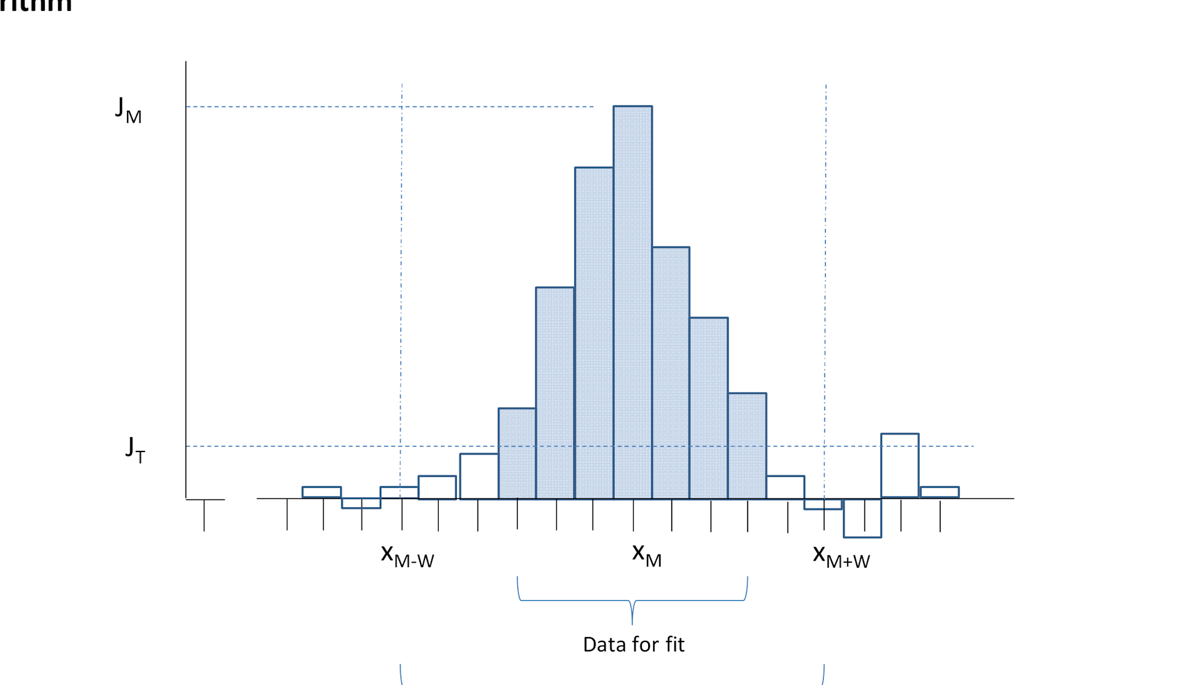
In outline, the fit finds the strip with the strongest signal, selects a contiguous neighbourhood of channels around that peak, and computes a Gaussian peak model for those channels. A quality-of-fit score summarises how well a single Gaussian describes the selected data. Thresholds and a maximum window width keep the selection under your control so you can match typical beam width and noise.
The implementation is engineered for real-time use on the supported platforms: predictable timing, careful handling of background and edge effects, and parameters you can set from diagnostic software or delivery configuration.
Example Fit
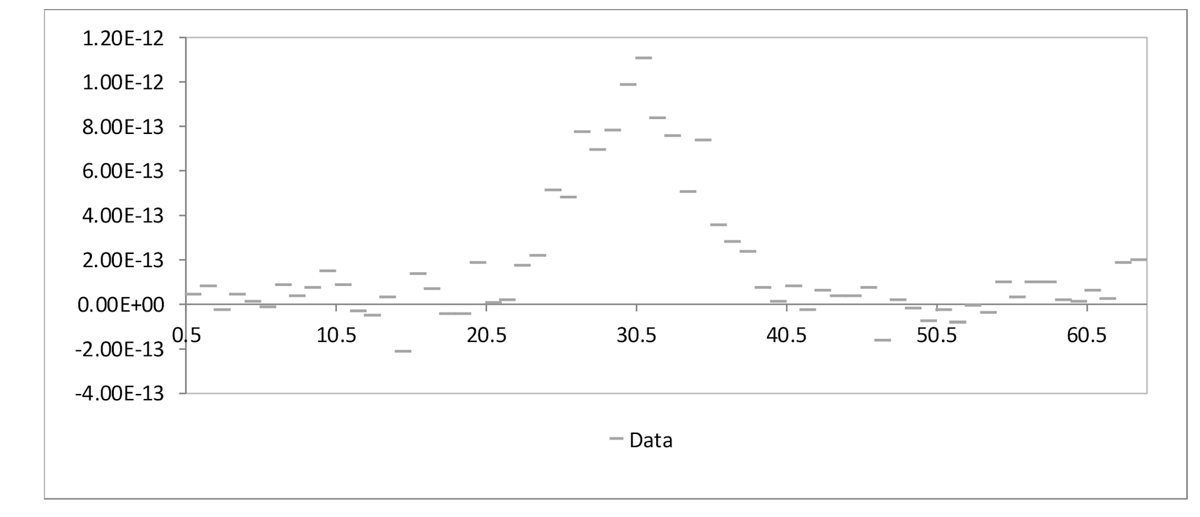
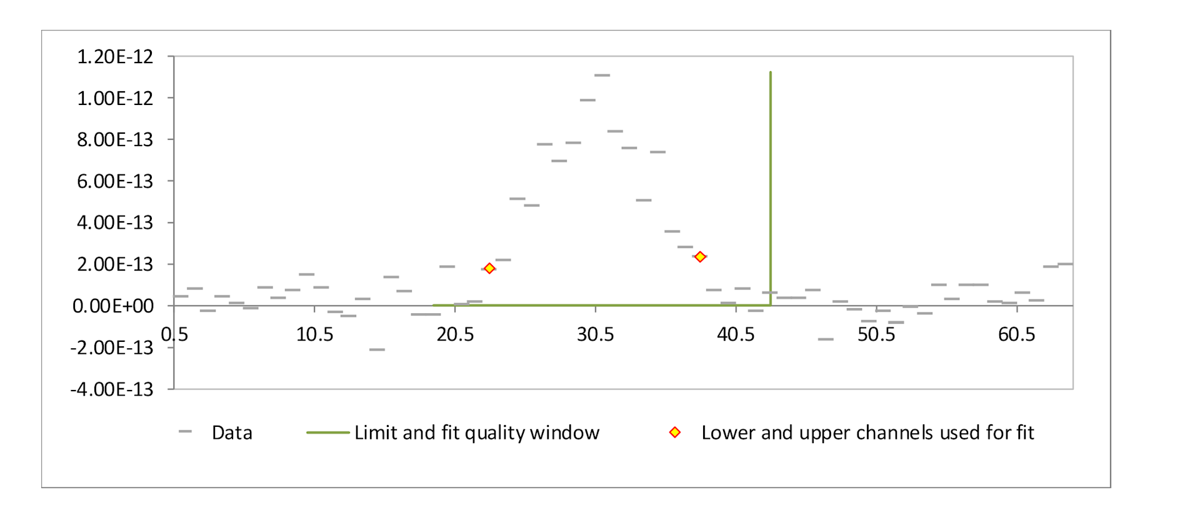
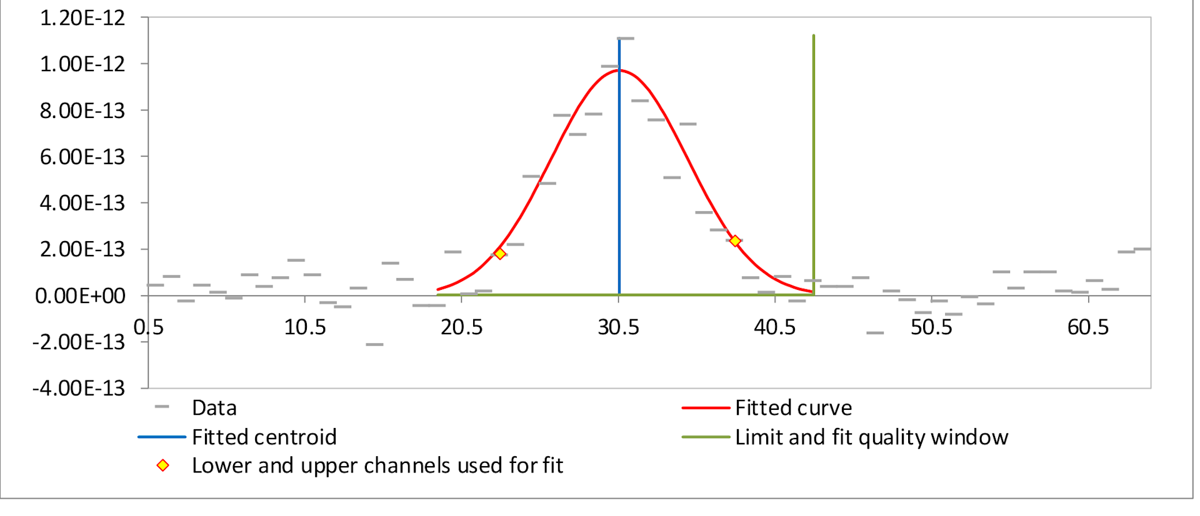
The sequence above shows raw strip data, the channels selected around the peak, and the resulting fitted curve with centroid and quality window.
Control Parameters
Controls for the fit are exposed in PTCDiagnosticG2 (and in related delivery configuration where applicable):
- Noise threshold: How far down from the peak the fit continues selecting adjacent channels. A modest fraction of the peak height is typical; use a lower value for narrow, clean peaks.
- Window: The largest number of channels the selection may extend on each side of the peak. Set it near the expected full width of the beam spot. The same span is used when scoring fit quality.
- Peak threshold: Minimum peak height required before a fit is attempted.
- Sum threshold: Minimum sum of the selected channels required before a fit is attempted.
Tune these for your beam size and noise floor; they do not change the underlying fit method.
Reasons for Poor Quality or Failed Fits
The fit assumes a single Gaussian-like peak is a good model for the selected data. A failed or low-quality result usually means the profile does not match that assumption. You can often still get a useful centroid by tightening the window or noise threshold. Common causes:
| Reason | Example |
|---|---|
| Uncorrected background offset | 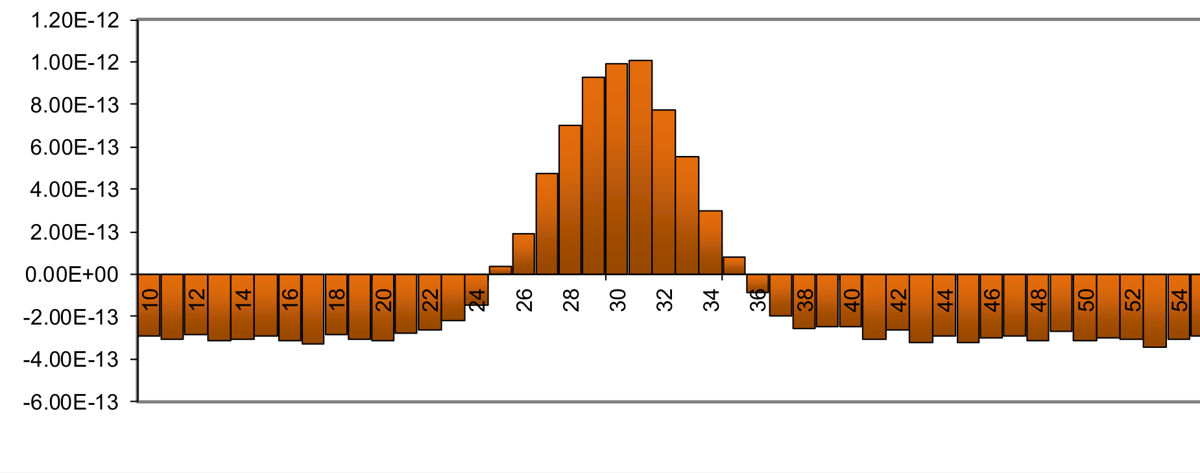 |
| Excess noise | 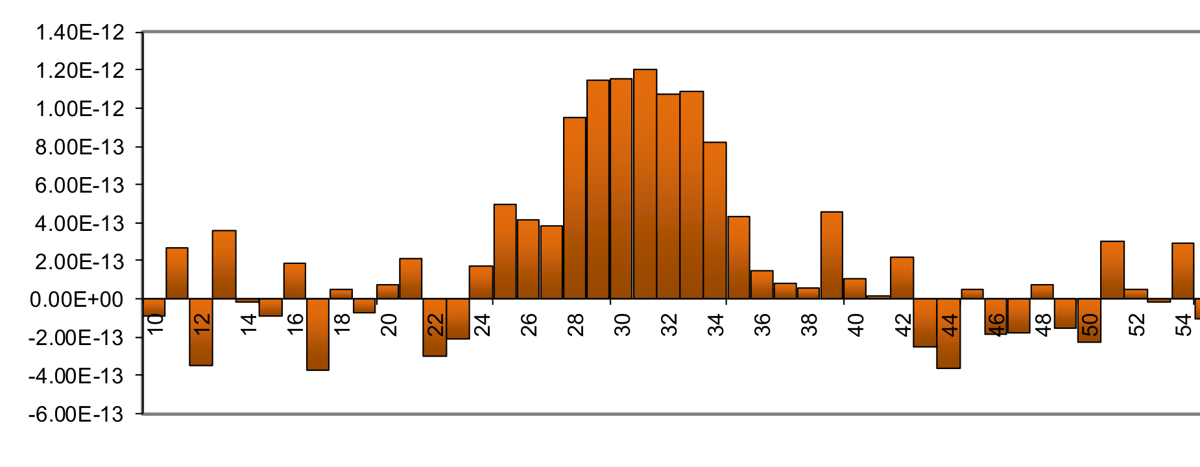 |
| Asymmetric peak | 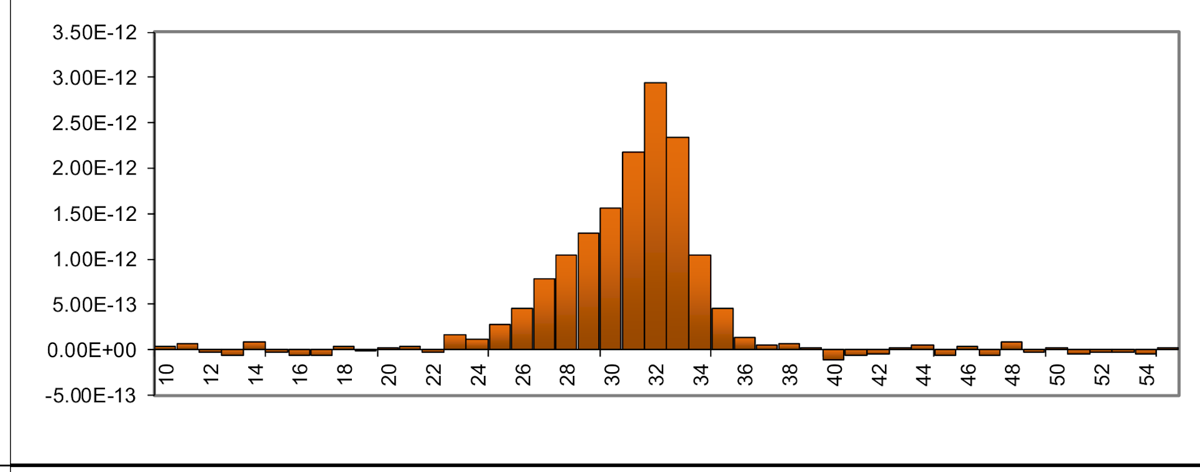 |
| Multiple peaks | 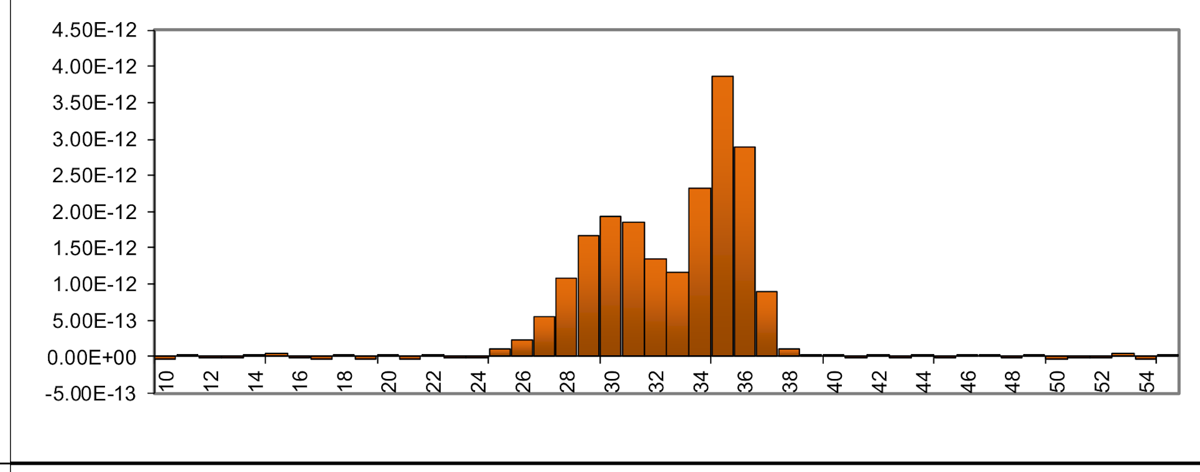 |
| Extended halo | 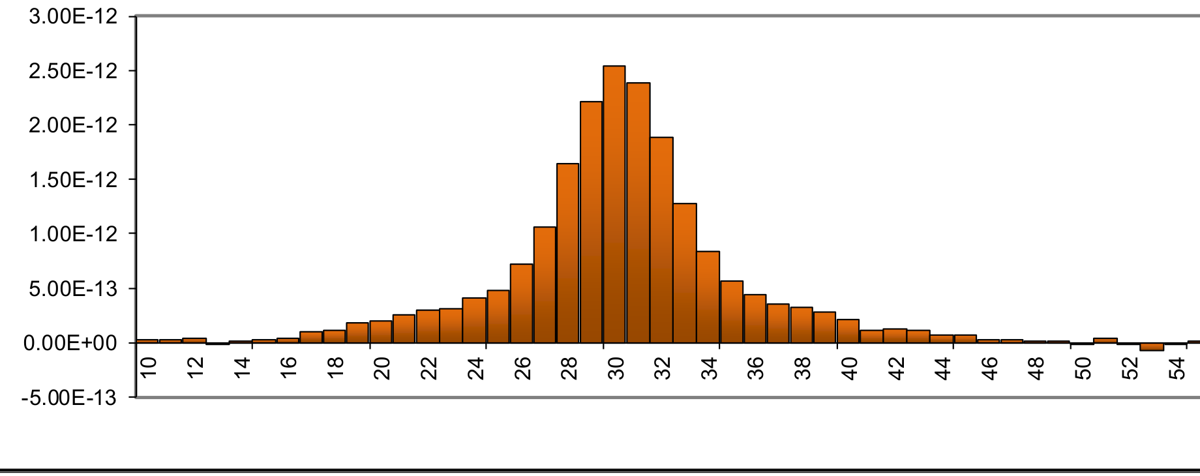 |
| Undersampled | 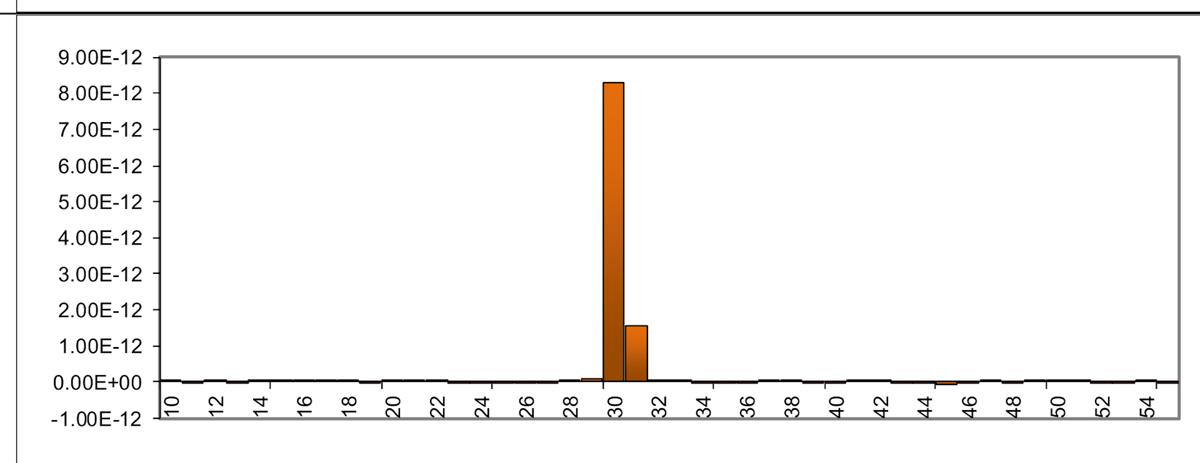 |